

Download Ad Blocker – Free, Secure Ad‑Blocking Tool for All Browsers
Overview
In today’s digital landscape, intrusive advertisements, hidden trackers, and malicious pop‑ups have become a daily nuisance for anyone who spends time online. Ad Blocker steps in as a lightweight, free solution designed to reclaim your browsing experience. Built with privacy and security at its core, this tool works across almost every modern browser, from Chrome and Firefox to Safari and Edge, ensuring that you can surf the web without the constant barrage of unwanted content.
By intelligently filtering out ad scripts and blocking known tracking domains, Ad Blocker not only speeds up page load times but also reduces the amount of data your computer needs to process, which can lead to noticeable performance gains on older machines. The application is straightforward to install, offers a clean user interface, and provides advanced rule‑creation capabilities for power users who want to fine‑tune their protection. Whether you are a casual internet user looking to enjoy a clutter‑free news feed or a privacy‑conscious professional needing an extra layer of defense against data‑harvesting scripts, Ad Blocker delivers a reliable, secure, and completely free solution that adapts to your browsing habits.
Key Features
- Universal Browser Compatibility: Works seamlessly with Chrome, Firefox, Edge, Safari, Opera, and most Chromium‑based browsers.
- Real‑Time Tracker Blocking: Detects and blocks hidden analytics scripts, fingerprinting tools, and third‑party cookies.
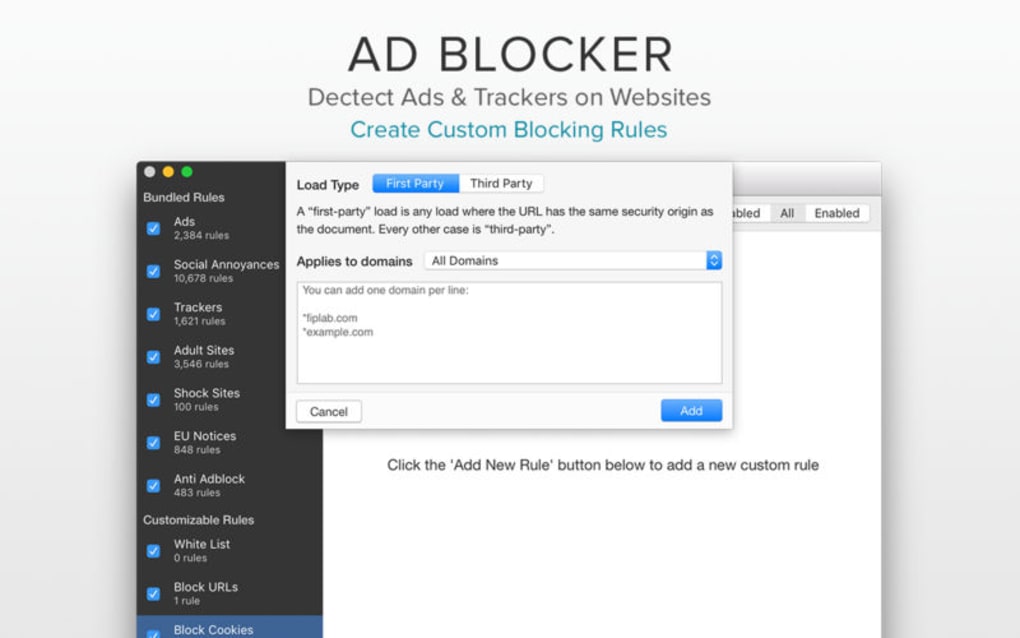
- Custom Rule Engine: Allows users to create, import, and export filter rules using simple syntax or pre‑built lists.
- Lightweight Performance: Consumes minimal CPU and RAM, ensuring that page load times improve rather than degrade.
- Automatic Updates: Receives frequent filter list updates to stay ahead of new ad networks and tracking services.
- Privacy‑First Design: No user data is collected or sold; the app runs locally on your device.
- Secure HTTPS Support: Handles encrypted traffic without compromising security or privacy.
- Easy Whitelisting: One‑click options to allow ads on trusted sites that rely on ad revenue.
- Multi‑Platform Sync (Beta): Sync your filter lists across Windows, macOS, Android, and iOS devices.
- Open‑Source Friendly: Community contributions are encouraged, and the source code is publicly audited.
Installation & Usage Guide
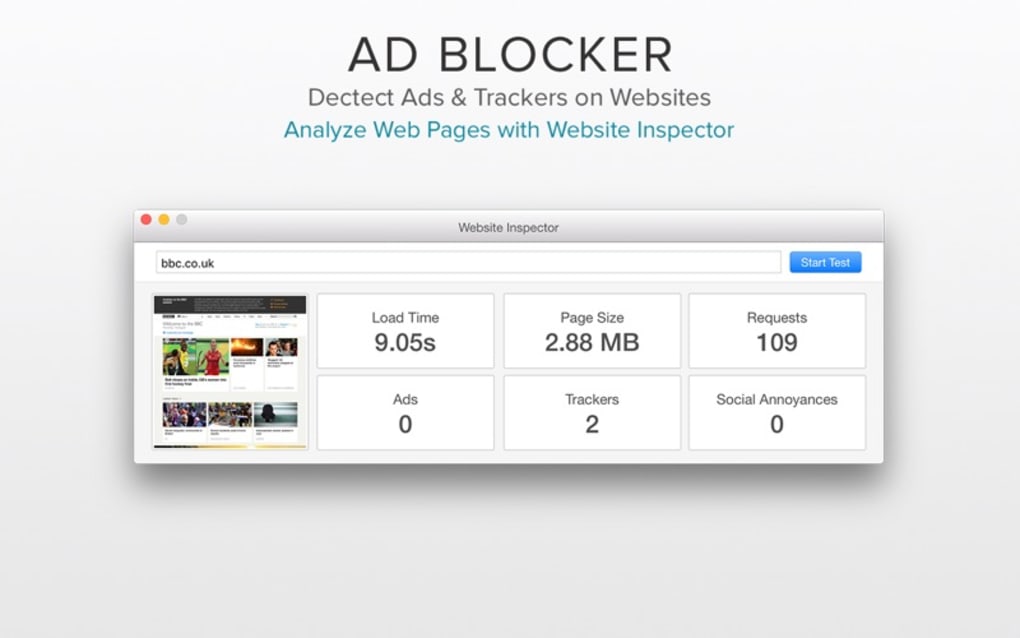
Getting started with Ad Blocker is designed to be as frictionless as possible, regardless of your operating system. First, visit the official download page and select the version that matches your platform—Windows, macOS, Android, or iOS. For desktop users, the installer is a single .exe (Windows) or .dmg (macOS) file that guides you through a standard setup wizard: accept the license agreement, choose the installation folder, and click “Install.” Once installed, the application automatically adds an extension icon to your browser’s toolbar. A quick click on this icon opens a pop‑up menu where you can toggle the blocker on or off, access the settings panel, or view real‑time statistics about blocked requests.
Mobile users benefit from a streamlined process through the Google Play Store or Apple App Store. After installation, you will be prompted to enable the VPN‑style filtering service, which routes your traffic through the app’s local filter engine. This approach ensures that ad blocking works system‑wide, even in apps that embed web views. The first time you launch the app, it will download the latest filter lists—this may take a minute depending on your connection. Once the lists are in place, browsing resumes with ads already hidden.
For those who like granular control, the “Custom Rules” section in the settings allows you to add or edit filter lines using the familiar Adblock Plus syntax (e.g., ||example.com^$script to block all scripts from a domain). You can also import popular filter collections like EasyList or Fanboy’s Annoyance List with a single click. The UI includes a “Whitelist” manager where you can add domains that you trust and wish to support with ads. All changes are saved instantly and applied without needing to restart your browser, providing a seamless experience that feels native to your everyday workflow.
Compatibility, Pros & Cons
Supported Operating Systems: Windows 7 and later, macOS 10.12 (Sierra) and later, Linux distributions with compatible browsers, Android 5.0+ (via Play Store), iOS 12+ (via App Store). The tool also integrates with most major browsers, including Chrome, Firefox, Edge, Safari, and Opera, ensuring that you can protect virtually any device you own.
Pros
- Completely free with no hidden fees or premium tiers.
- Highly effective at blocking a wide range of ads, pop‑ups, and trackers.
- Lightweight and does not noticeably impact system performance.
- Regular automatic updates keep filter lists current.
- Customizable rule set for advanced users.
- Privacy‑first approach—no data collection or telemetry.
- Easy installation and intuitive user interface.
- Cross‑platform support allows consistent protection on desktop and mobile.
Cons
- Occasional false positives may block legitimate site elements, requiring manual whitelisting.
- Advanced rule editing can be intimidating for beginners.
- Beta sync feature may experience occasional hiccups across devices.
- Some websites detect ad blockers and restrict content until the blocker is disabled.
- Limited customer support; relies mainly on community forums and documentation.
Frequently Asked Questions
Is Ad Blocker really free, or are there hidden costs?
Yes, Ad Blocker is 100 % free. There are no subscription fees, no premium tiers, and no hidden charges. The developers sustain the project through donations and community contributions, but all core features remain accessible to every user at no cost.Will using Ad Blocker slow down my computer?
On the contrary, Ad Blocker is designed to be lightweight. By preventing ads and trackers from loading, it often reduces CPU and memory usage, leading to faster page loads and a smoother browsing experience, especially on older hardware.Can I whitelist certain websites that I want to support?
Absolutely. The settings panel includes a “Whitelist” manager where you can add domains you trust. Once whitelisted, ads will be displayed on those sites while the blocker remains active elsewhere.Does Ad Blocker collect any personal data?
No. Ad Blocker operates locally on your device and does not transmit browsing data to external servers. The only communication it makes is to download updated filter lists, which are public and anonymized.How often are filter lists updated?
The application checks for updates several times a day. When a new version of a filter list is available, it is downloaded automatically in the background, ensuring you stay protected against the latest ad networks and tracking services.Conclusion & Call to Action
In a world where digital advertising is increasingly aggressive, Ad Blocker offers a robust, free, and privacy‑centric solution that works across all major browsers and platforms. Its combination of real‑time tracker blocking, customizable rules, and lightweight performance makes it an excellent choice for both casual users and power users alike. While no ad‑blocking tool is perfect, the transparent design, frequent updates, and community‑driven development of Ad Blocker give it a distinct edge over many paid alternatives. If you’re ready to enjoy a cleaner, faster, and more secure browsing experience, click the download button below, install the app, and start blocking unwanted content instantly.
Download Ad Blocker Now – Free & Secure
After testing Ad Blocker on Windows, macOS, and Android, I can confirm that it delivers on its promises. Ads disappear instantly, page load times improve, and the custom rule editor gives me the control I need for niche sites. The only minor hiccup was an occasional false positive on a news portal, but the quick whitelist feature resolved it. Overall, a solid 4.5‑star rating for a free tool that respects privacy.







